



TradingSim Delux · Market replay simulator

Trading simulator.
Replay every decision.

Practice stocks, futures and crypto in a trading simulator with on-chart orders, risk-based sizing, linked workspaces and replay of your actual trades.

Charts, order flow and execution. One linked workspace.
Trade directly from the chartReview your actual entries and exitsSave the workspace that fits your process

What the Experts Say About Tradingsim

Hear from top educators and traders on how Tradingsim transforms trading education.

Trusted by Thousands of Traders and Industry Leaders

With over 50,000 traders trained and top ratings, Tradingsim is the go-to platform for mastering the markets.
4a96d27b62baf15a20af5bdc 4a179321eb3eee3dc988bf69
image-ds-trusted-leaders
Inside TradingSim Delux

From finding a setup
to reviewing the trade.

Build a practice session around the way you trade. Keep the chart, orders, market data and your review in the same workspace.

01 / PLACE & MANAGE

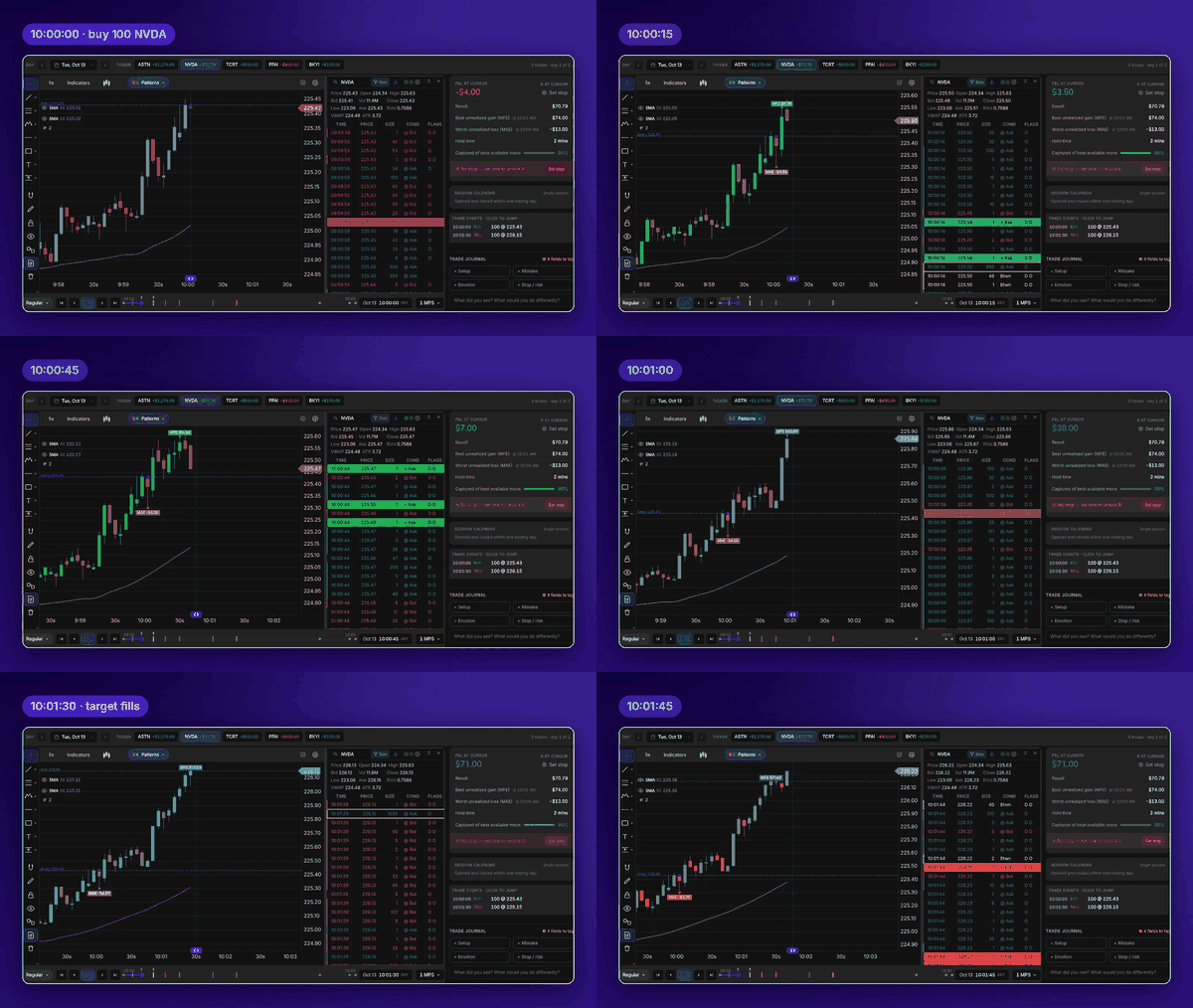
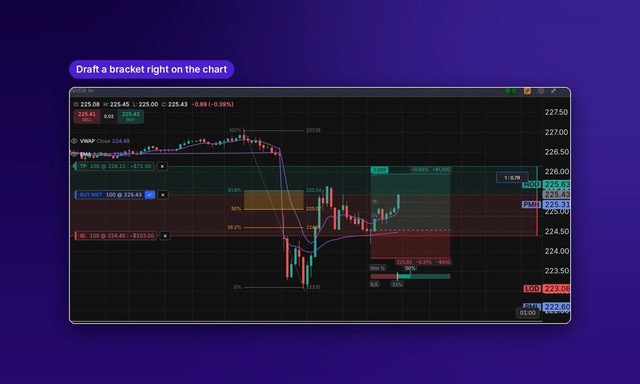
Place, size and manage trades on the chart.

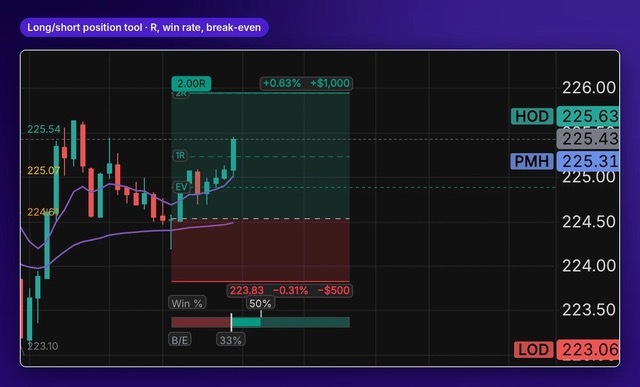
Set the entry. Drag the stop and target. See the dollar risk and reward-to-risk before you confirm.

  • Right-click a price. Choose the order that fits its position above or below the market.
  • Six sizing modes. Shares, dollars, % of buying power, $ risk, % risk or Max.
  • Manage the whole position. Scale out by a quarter, half or all; reverse, close or move the stop to breakeven.
Practice chart trading
Draft a bracket directly on the chart
02 / REPLAY & REVIEW

Replay the decision.
Review the whole trade.

Open a historical trade and replay the market around your actual entries and exits, with your drawings and indicators there for the review.

  • Click an execution on the Replay Rail to jump straight to that moment.
  • Control the pace. Move bar by bar or jump to the open, Power Hour, close or a time you enter.
  • Save a moment. Add bookmarks with notes and tags, then return to them as you study.
Replay your next session
Reviewing a trade, bar by bar
03 / BUILD YOUR DESK

A desk that’s yours.

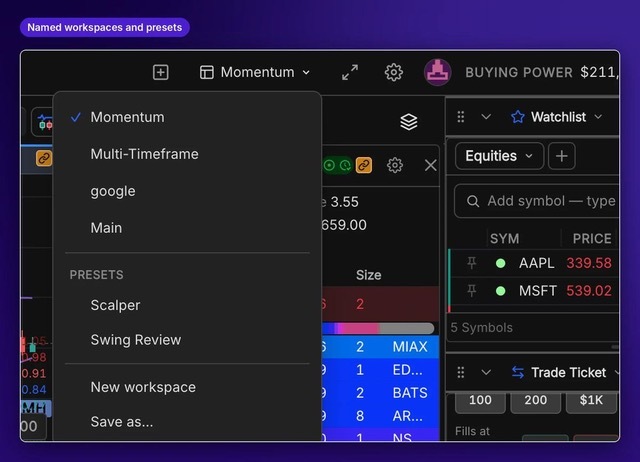
Start with Momentum, Scalper or Swing Review. Or build a workspace, name it and take it to another computer.

  • Linked charts, scanner, Level 2 and Time & Sales. Click a symbol and the linked panels follow.
  • Arrange the panels you use. Add Watchlists, Trade Ticket, Positions and Bookmarks; resize, reorder or collapse them.
  • Make it readable. Set text size, row density and colors across your panels. Sync chart crosshairs by time.
Build your workspace
Named workspaces and preset layouts
04 / LEARN FROM THE SESSION

Your trades.
A clearer review.

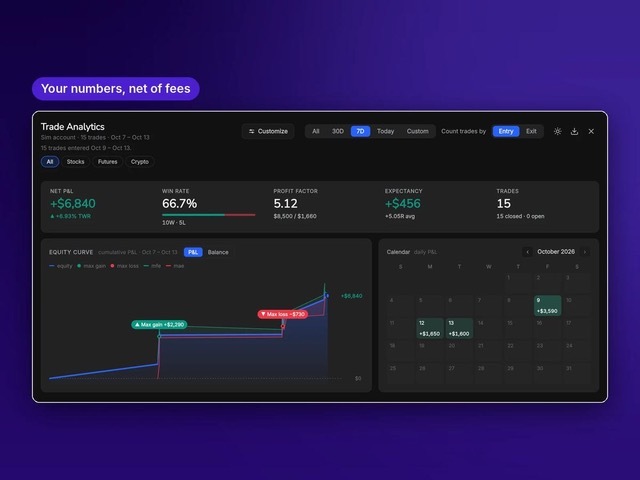
See your equity curve, then break performance down by symbol, day and time of day. Open the trade behind the numbers.

  • Look beyond the win rate. Review MFE and MAE alongside your equity curve and trade statistics.
  • Keep the context. Journal notes autosave; tag the setup, mistake and emotion.
  • Take the review with you. Export to CSV, Excel or PDF, or replay a trade inside TradingSim.
Explore trade analytics
TradingSim Delux analytics with equity curve, MFE, MAE and trade statistics
Rebuilt trade analytics
Study the setup

Chart tools that move
with the replay.

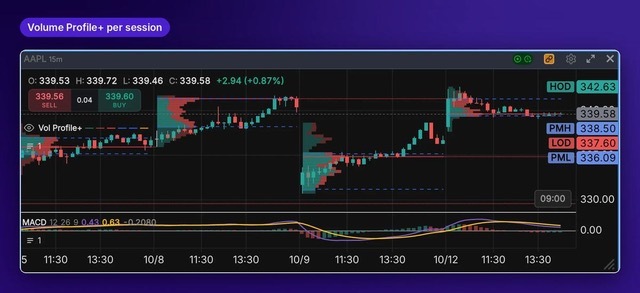
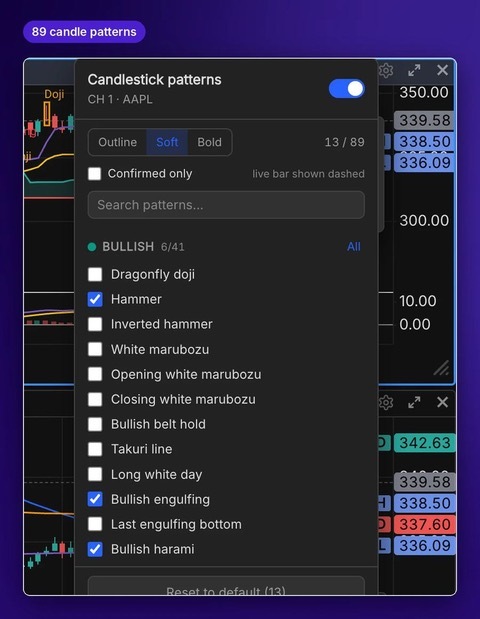
Study what was available at that moment. Delux’s replay-aware tools step forward with the session.

PRACTICE THE COSTS, TOO

Bring fees and buying power into the practice.

See how transaction costs and changing account equity affect your simulated trades.

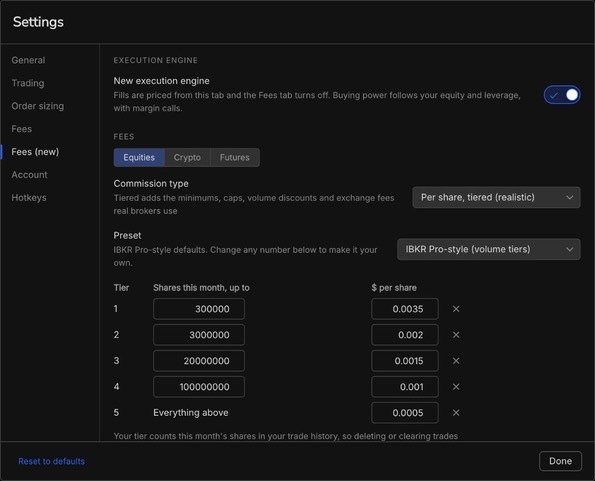
  • Broker-style fee presets or custom flat and per-share charges, with a fee breakdown for simulated fills.
  • Cash or margin practice. Choose 1× to 10× leverage and see equity, funds available and buying power.
  • Simulated margin calls. Warnings and new-position blocks, with optional auto-liquidation.

Available through the new execution engine, currently in beta. Turn it on in Settings → Fees (new). Order types vary by market; crypto supports market orders only and no short selling.

Broker-style fee presets and custom fees

Faster hands. Fewer clicks.

Hotkeys that explain themselves.

Build a shortcut from plain choices and read back what it does. Keep separate sets for trading, replay and general actions, shared across workspaces.

Your symbol. Your timeframe.

Type on the chart to change symbols or enter an interval: 7 minutes, 45 seconds or 233 ticks. Pin the timeframes you use most.

Keep your chart setup.

Save indicators, colors, scales and trading visibility as a chart template. Apply all of it, or just the parts you need, to another chart.

Draw once. Review it again.

Carry drawings across charts of the same symbol and into Trade Replay. Use Start fresh to keep each replay attempt’s drawings separate.

Record the moment.

Record activity inside TradingSim and export a clip of a trade, setup or replay session to save or share.

Practice across markets.

Replay equities, futures and crypto. Futures use contract margin, tick sizing and contract-based P&L. Open two windows to review different days side by side.

Partner with Tradingsim and Grow Your Earnings

Unlock the potential for additional income by joining our affiliate program. Share the power of Tradingsim's trading simulator with your audience and earn commissions for every referral.
  • Generous Commissions: Earn up to 30% per subscription.
  • Easy to Start: Simple sign-up and quick approval process.
  • Real-Time Dashboard: Monitor your performance and earnings.
  • Reliable Payouts: Receive monthly payments promptly.
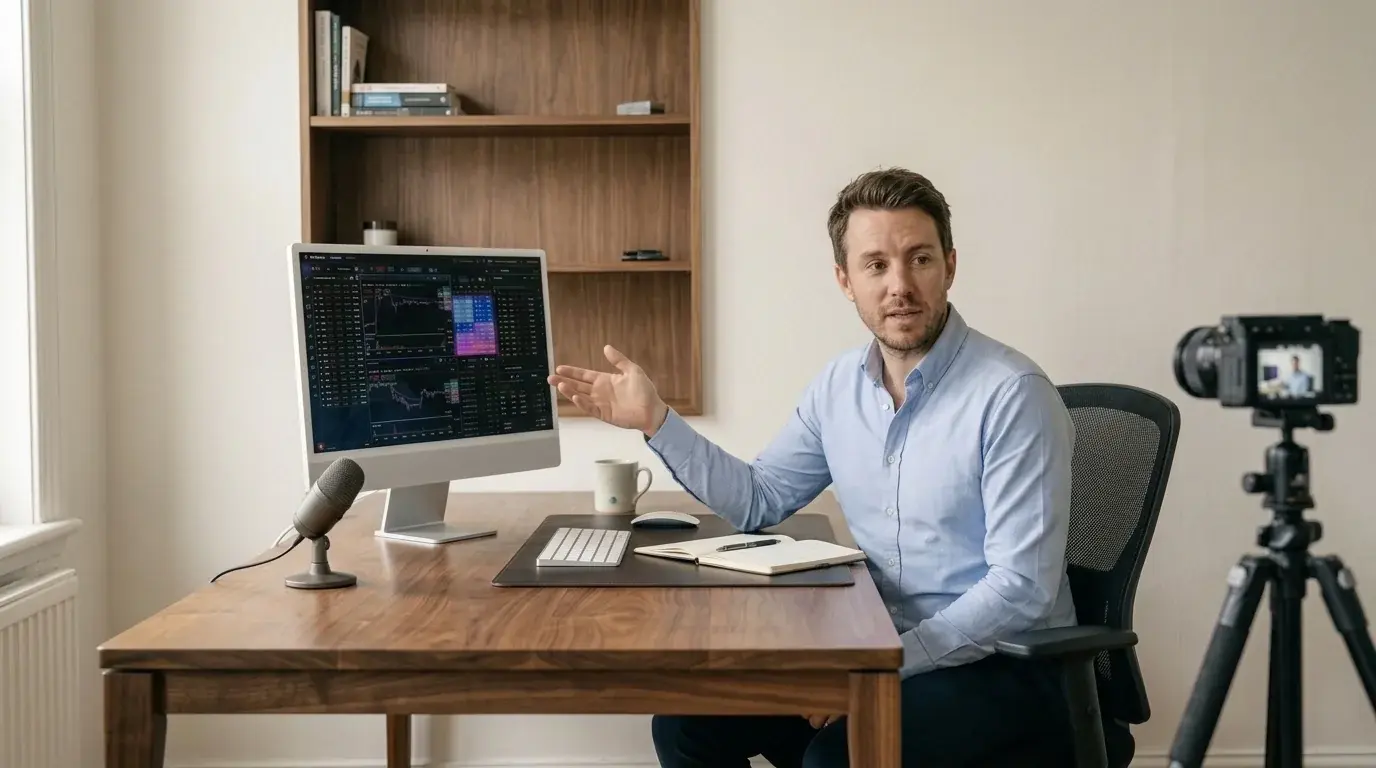
Trading educator recording a TradingSim lesson at an iMac

Build your next practice session.

Place the trade. Replay the decision. Review what happened.

Start Your Free Trial